
The Ultimate Academic Writing Workflow - Hypothes.is or Perusall, Zotero, and Obsidian or Notion.
how digital annotation, note-taking and reference managers lead to learner's success.

The most common refrain in academia is that students do not read. They do not read for pleasure, they hardly read the assigned readings, and the attention deficit makes retention and follow up assignments a challenge. Additionally, with the introduction of generativeAI tools like ChatGPT, Claude, and Gemini – students do not have to think, nor write! However, without sufficient reading, their writing suffers. As they struggle to write, they are turned off by the idea of further practice. Students are trapped in a vicious cycle, and to some extent, faculty enable these situations by paring back their assigned readings, reducing complexity, and offering alternatives. But, should we be meeting the moment, and these students, with alternatives to complex and challenging work? What if instead we brought back engagement with the readings, facilitated understanding, and constantly combined reading and writing. What if instead of reducing the amount of reading and writing a student has to do, we increased it? What tools can we give college students, so that they are walking into each and every classroom prepared to succeed. Every student should be introduced to digital Annotations tools like Perusall and Hypothes.is, note-taking tools like Obsidian/ Notion, and reference managers like Zotero on their first day, or week, of college. Individually, each tool is an incredible pedagogical scaffold, combined, they can make any student a high-achiever. I know, because it made me one of the best students in my master's program. It also changed my reading approach. And it transformed the way I read and write.
Digital Annotations
Annotation is a strategy with many affordances depending on the discipline, the tool used, and the context it occurs in. Within the classroom it provides students with an interactive way to complete their assigned readings. Students' reading and thinking becomes visible. Both the student and educator are able to maintain a cognitive, social, and emotional presence throughout the reading. Based on the discipline, or based on the course level, annotations can be guided, or self-paced. A professor of philosophy can explain difficult passages. They can ask guided questions for the application of abstract concepts. While In an advanced course, the students are doing all of the work of analyzing the readings. In science courses an instructor can demonstrate the way to read a scientific research paper. Then let students explore topics on their own. In a literature class, students can read and brainstorm their responses and critical analysis and get almost immediate feedback from peers; they can write entire paragraphs on a single sentence or section of the book. History classes can dive deeper into primary sources by tying in additional evidence, other witness accounts, facts and figures, government documents, etc. An immigrant narrative can be contextualized within the period in which they lived, their geographical location, political economy, local elites, party platforms, national development, etc. In theology classes, annotations can provide the full context of religious passages cited in religious commentary, bring in canon law, the scholarly analysis of those passages; deep dive into the comparison of ancient Greek, with the texts' choice translations; the various ways that passage has been interpreted throughout history. All of these activities convey to students two points – (1) there are fundamental questions that will come up across all disciplines and (2) sometimes ideas are tenuously connected, while other times the connections are like steel cables – almost impossible to sever. Once students start to understand these two points, the annotations become not just about factual understanding, but answering the bigger questions. Both of these acts: identifying facts for understanding and the search for meaning, are important factors in constructivism. Those annotations, and their subsequent follow-up have to go somewhere – while most universities provide students with a license to Microsoft Office 365 products, or Google Workspace accounts. Access to those tools expires after college. All of their notes, and homework might sit behind an expired account. Therefore, tools like Obsidian, or Notion, elevate note-taking into cognitive tools and information and relational databases.
Note-Taking
Obsidian and Notion use the markdown markup language to format texts and other types of blocks. I have used Notion for personal, education, and work documents; but I am experimenting with Obsidian for personal projects, learning essays, and blog posts (like this one). The current appeal that Notion AI has for all of my work notes, requires me to set time aside to do all of my own thinking. That said, Notion is great. Depending on the discipline that might be your best choice, e.g, as an instructional designer, Notion became integral to my grad school notes, semester projects, and then successfully migrated it to my work projects; however, with Obsidian you get pared down functionality, with the option to customize it later with core and community plug-ins. The one extraordinary feature that Obsidian has, and where Notion is lacking is: the graph viewer.

Students can make connections by themselves, or even with the guidance of their instructors – which happens during class. Instructors will create opportunities for call backs to previous lecture material, while the best instructors connect their class to the rest of the world. Whether through flashes of insight, or through guided instruction, the ability for students to connect other pages through obsidian or notion's links, footnotes, or tags allows them to reinforce these connections both mentally and visually.
Links
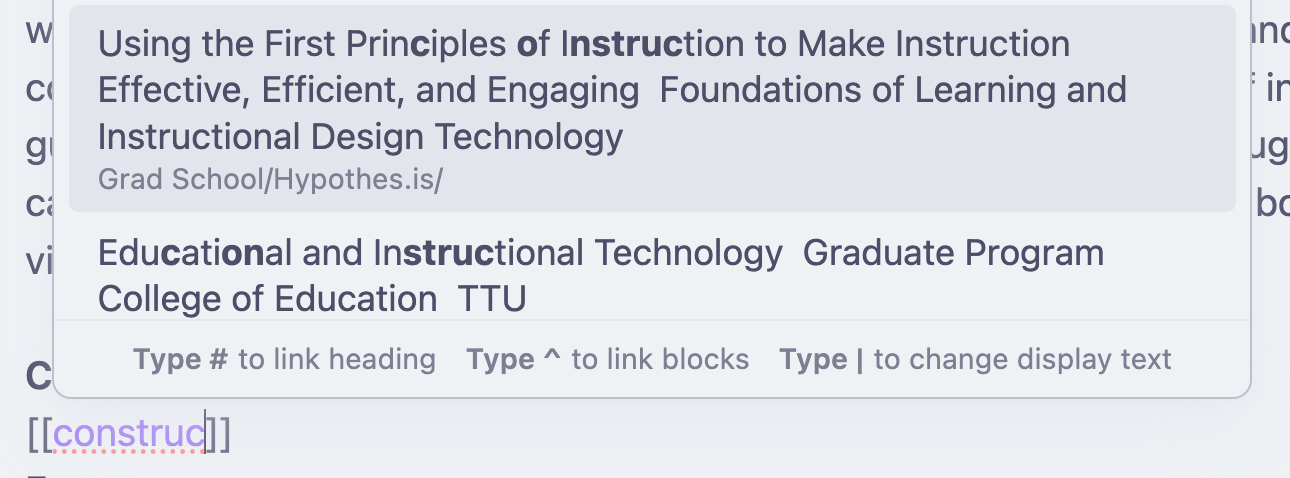
Use wikilinks [[]] to start searching your previous notes. I have successfully imported all of my Grad School annotations from Hypothes.is into Obsidian (more on that in a later post). So I am able to connect my existing annotations with learning essays.
Footnotes
Use [^#] to create a footnote, or link to an existing footnote.
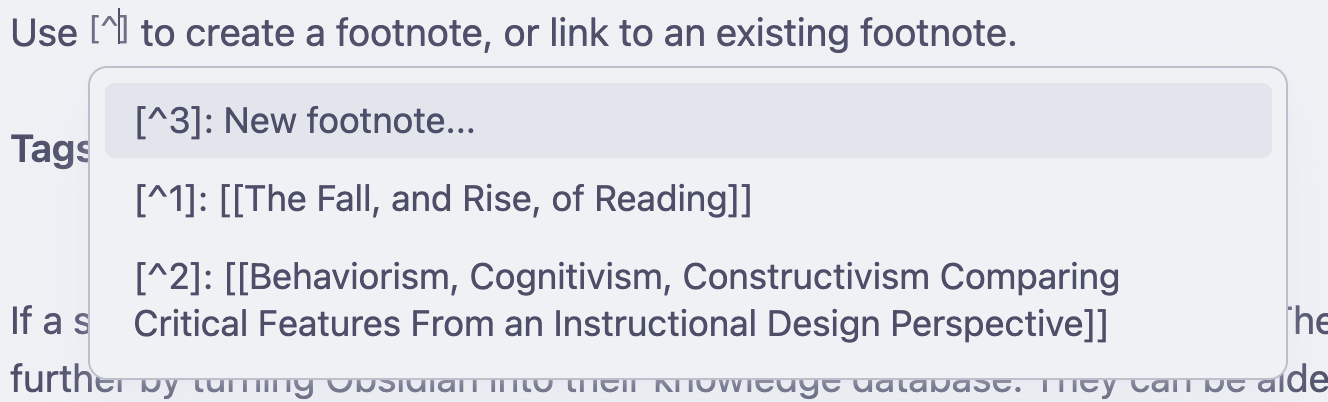
You can use footnotes to create the wikilinks ([[]]) in your document, cite sources, or provide additional information.

Tags
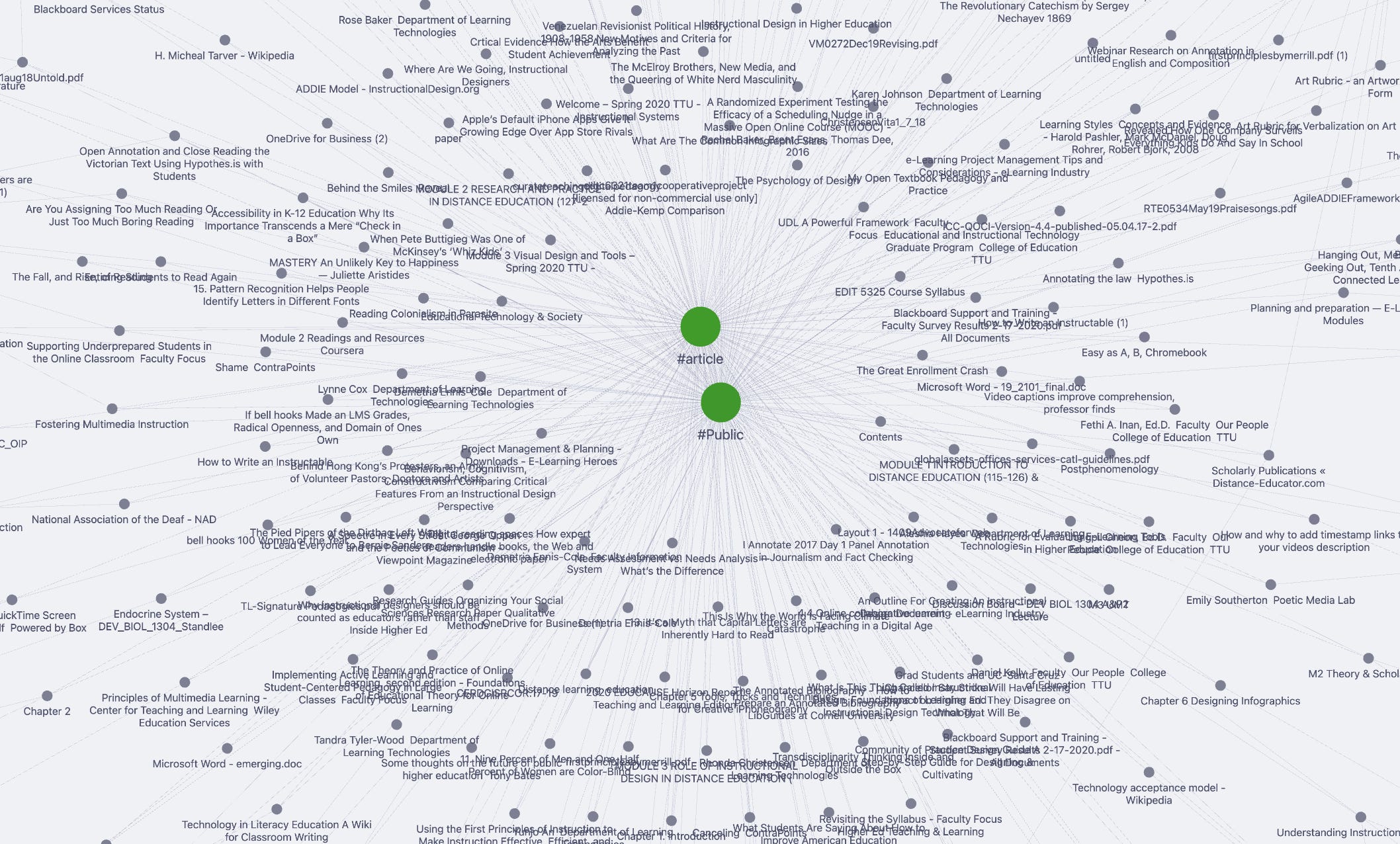
Students can use the # symbol to add tags into their documents. These are also shown in the graph viewer, and become an important way to connect various documents together, when they do not wikilink to each other. In Obsidian, I have the draft document tagged under #studentsuccess , #digitalannotations , #citationmanager and #note-taking. The more frequent the tag comes up, the larger it will appear. And the tag will become a nexus to all of the markdown files, or documents marked as such.
Example of Graph Viewer with tags enabled.
This leads to the last part of the workflow, using a reference manager. How to use keywords effectively, while using the reference manager to quickly cite sources when you write.
Reference Managers
Reference manager software designed to assist with the storage, cataloguing, and generation of bibliographies and in-text citations. Zotero offers these features. It also includes a robust library of community plug-ins that adds additional functionalities such as better notes, better BibTex, and Notero (a zotero exporter to notion), and a variety of Zotero Plug-ins for Obsidian. When writing academic papers, in-text and bibliographies are important. Generating in-text and bibliography references immediately to match a wide variety of styles, is a gift for budding academics and newly minted college students, who need to focus with finding valid sources, understanding them, rather than focusing on generating perfect citations.
Another way that Zotero can support learning is through the cataloguing of information in conjunction with Hypothes.is and Obsidian/Notion, in the effective use of tags to quickly find not just articles, but specific concepts, documents, research papers, study material, genre, modality, and date.
Conclusion
Digital annotations, note-taking, and reference managing and their workflow helped me so much through college. This process of engaging with instructional material, helped me connect and give broader meaning to what I was learning in class. Grad school took me four years, 4,943 annotations, 586 reference papers, and probably twenty thousand words when counting all of my assignments; this does not include graphic design artifacts and the videos I had to storyboard, film, and edit. A bachelor's is about half that amount; but when a student is not prepared well, it might still feel like an eternity. Creating a personal knowledge management system (PKM) in the first year of college, will set students up for success not just in college, but at life. These three tools, with their specific functionality, and wide options for customization can change a student's academic trajectory.